Product tour
A day with Concurrent.
Seven steps through the app, from opening your dashboard to asking your coach a question. Every screen below is from the Concurrent iOS app.
Step 01 · Home
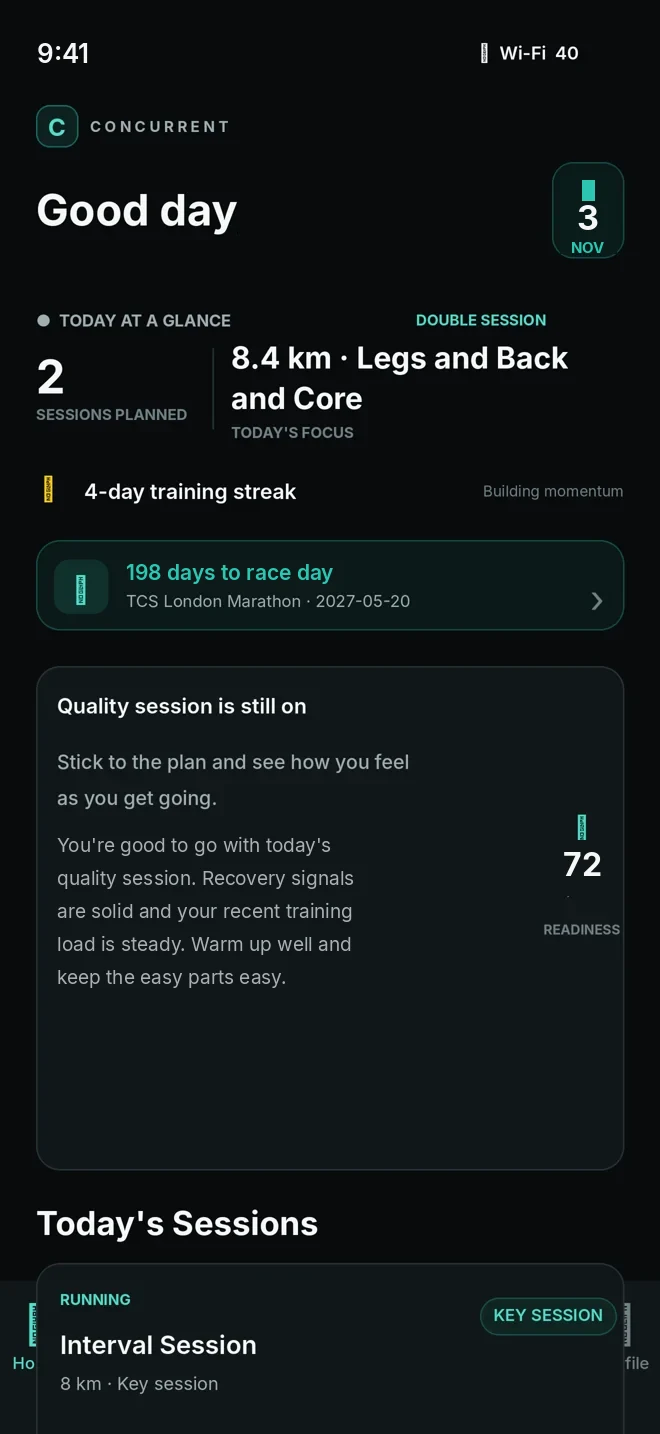
Open your Home dashboard
Everything about today in one view: how many sessions are planned, today's focus and your countdown to race day.
- Today at a glance
- Training streak
- Race-day countdown
Step 02 · Home
See today's readiness and decision
Your readiness score sits beside the engine's recommendation for today, with a plain-English explanation of why.
- Readiness out of 100
- Today's recommendation
- The reasons behind it
Step 03 · Training
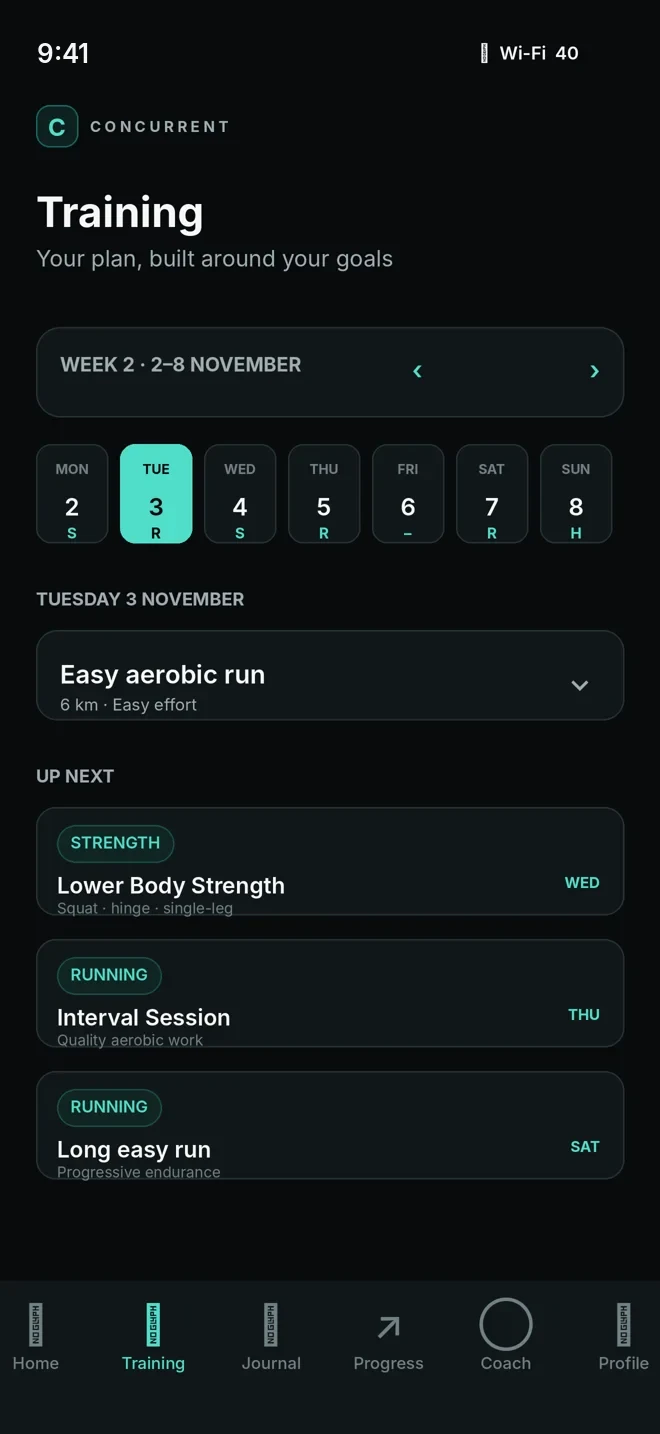
Explore your training week
Runs and strength sessions are laid out across the week, with what's coming up next.
- Week view by day
- Today's session details
- Up next
Step 04 · Training
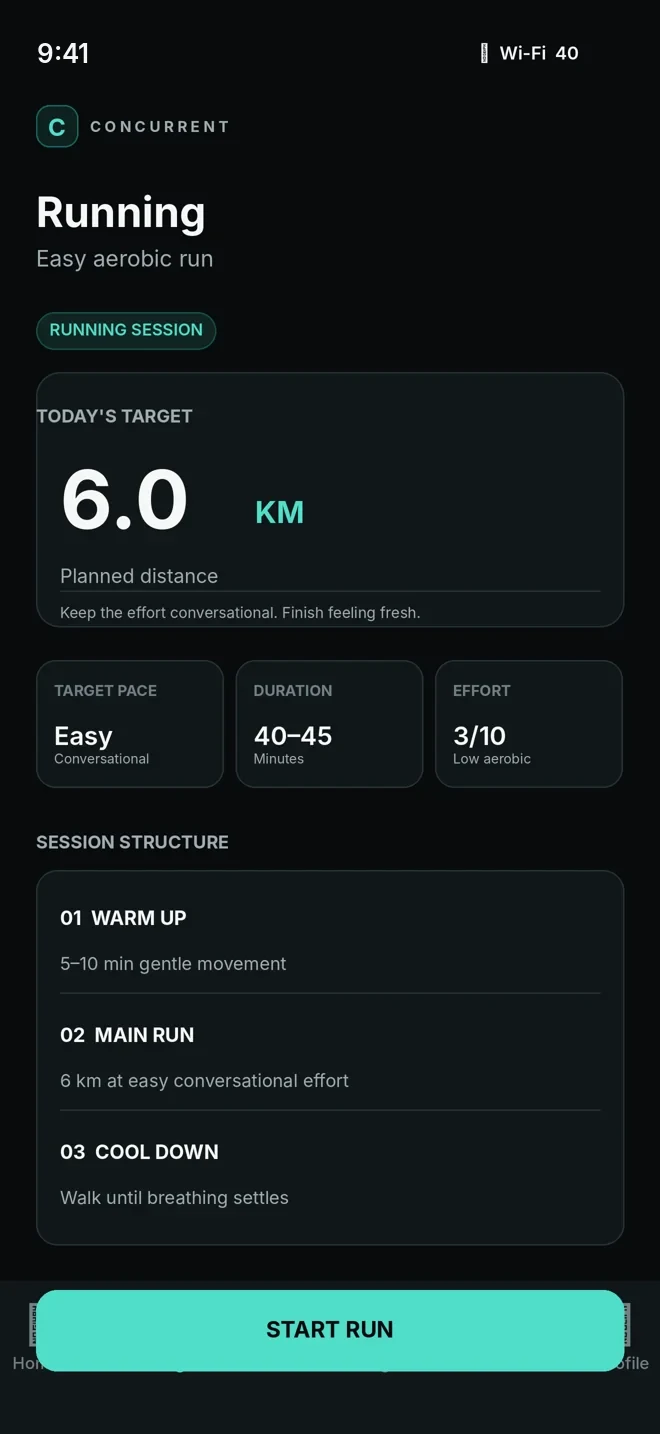
Start a running workout
Each run has a clear distance target, pace guidance, duration, effort and a simple session structure.
- Target distance
- Pace, duration and effort
- Warm-up, main run, cool-down
Step 05 · Training
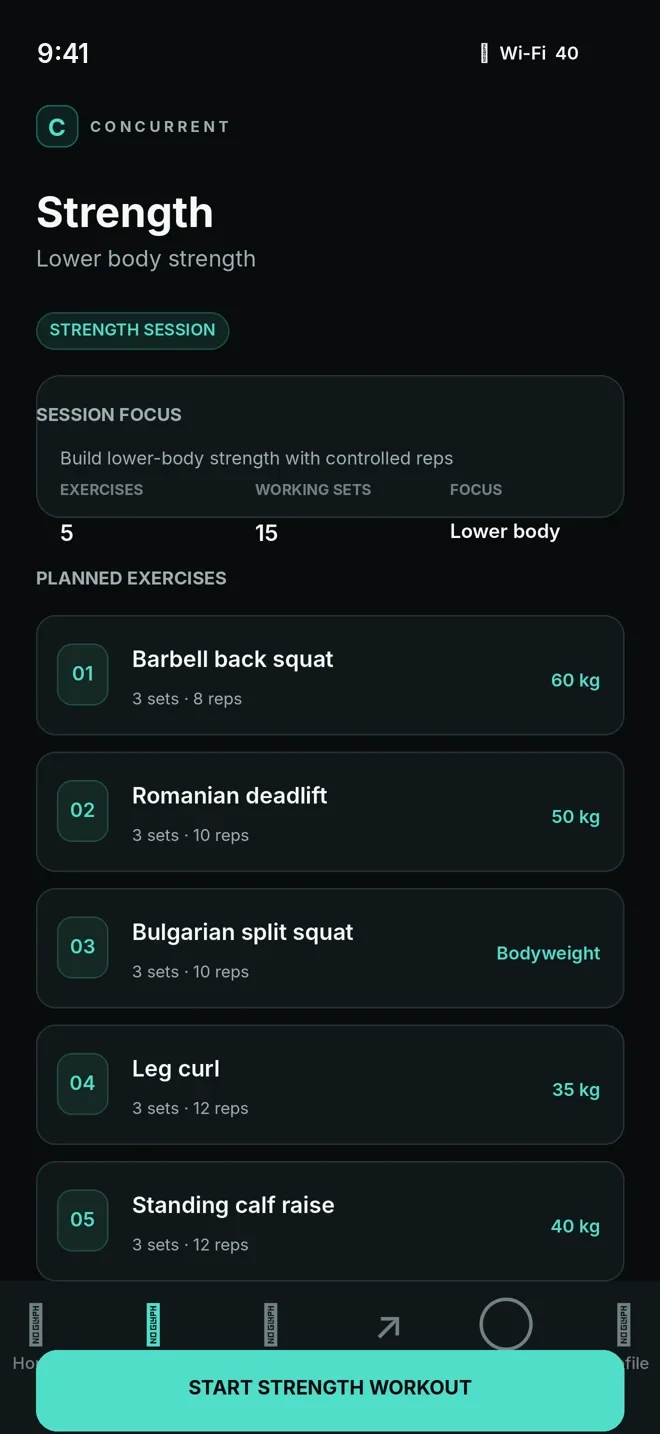
Log a strength workout
See the session focus and every planned exercise with sets, reps and weight, then log as you go.
- Session focus
- Planned exercises
- Sets, reps and weight
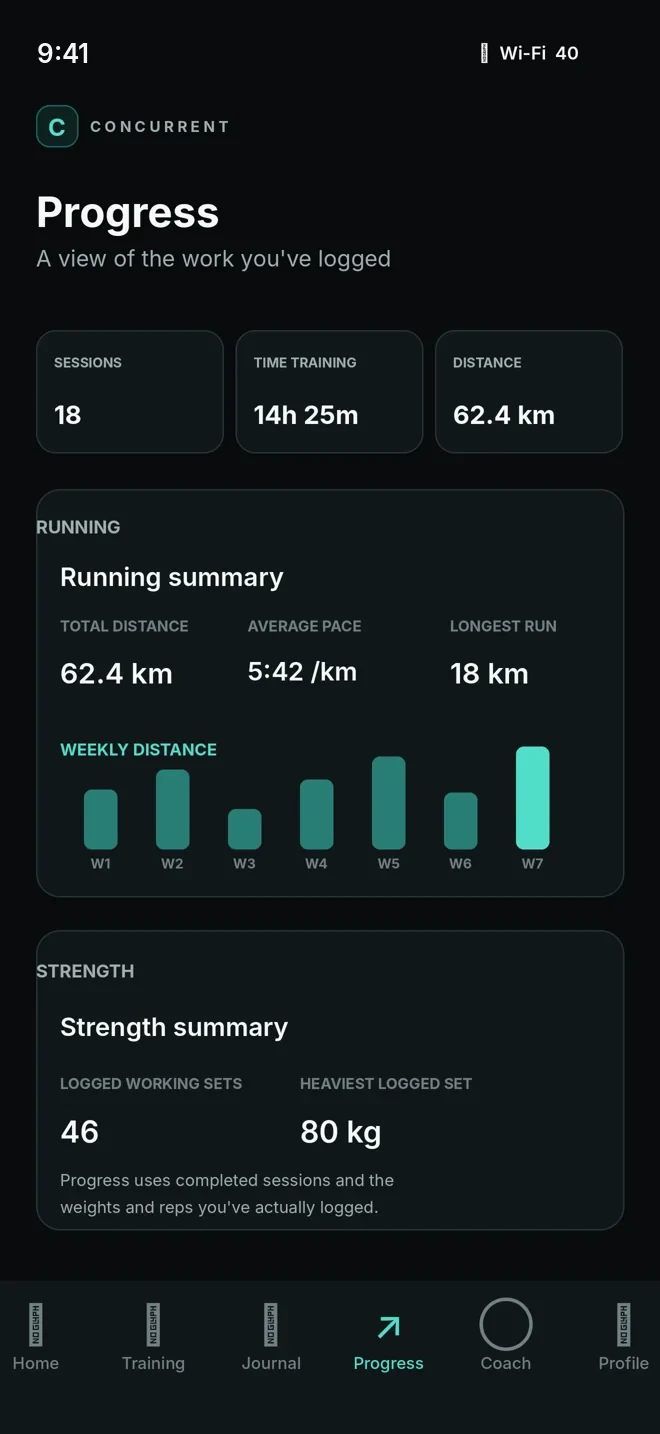
Step 06 · Progress
Review your progress
Running and strength summaries built from the sessions you've actually completed.
- Sessions, time and distance
- Weekly running distance
- Strength summary
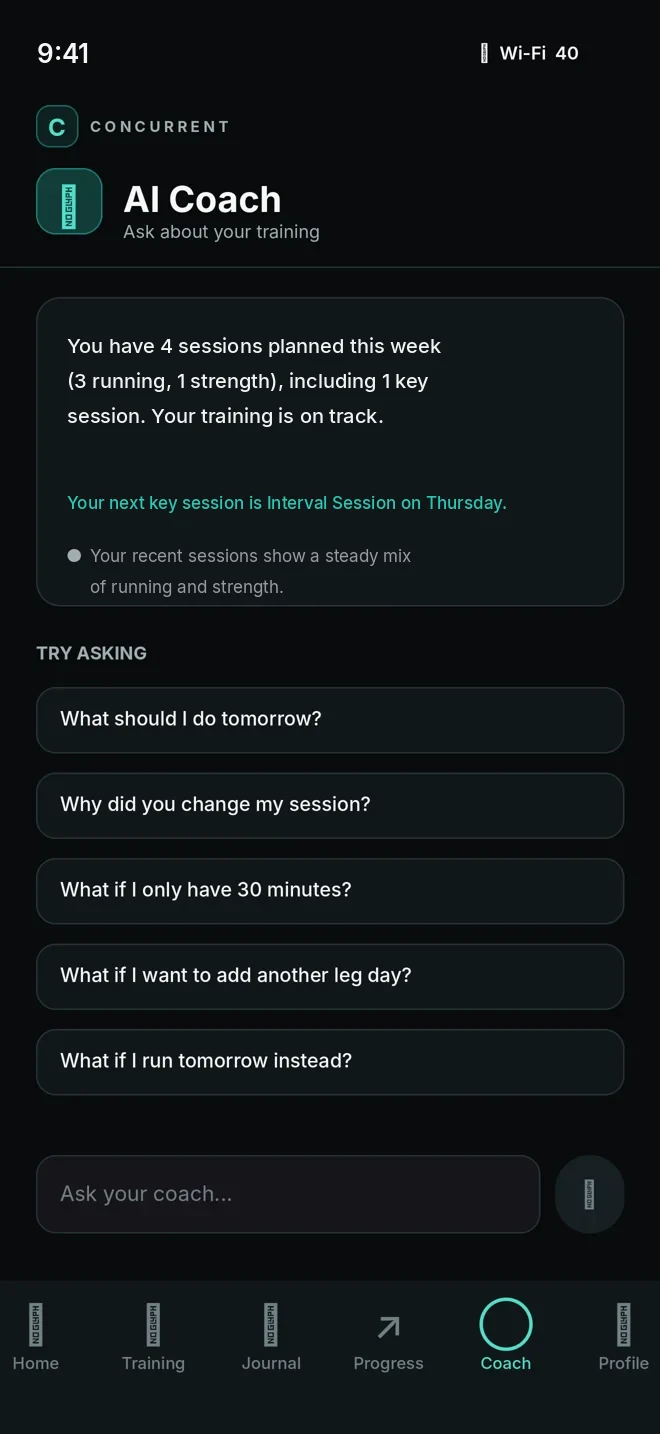
Step 07 · Coach
Ask the AI coach
Ask about your week or a decision you didn't expect. The coach explains — the training engine still makes the decisions.
- Weekly overview
- Suggested questions
- Answers grounded in your plan
Screenshots from the Concurrent iOS app, shown with demonstration data
Concurrent for iPhone
Stop choosing between fast and strong.
One plan for your runs, your lifts and your recovery.